This website uses Google Analytics to understand how visitors find and use our site. It helps us see which pages are useful and how we can improve your experience.
We do not sell your personal information, and we do not use this data for advertising or share it with third parties for marketing purposes. No personally identifiable information is collected or stored.
You can accept analytics to help us improve, or decline and continue browsing normally. You can change your choice at any time using the small icon at the bottom left corner of the website.
Click the Registration tab in the light blue band.
Click the Enter button for the tournament you want.
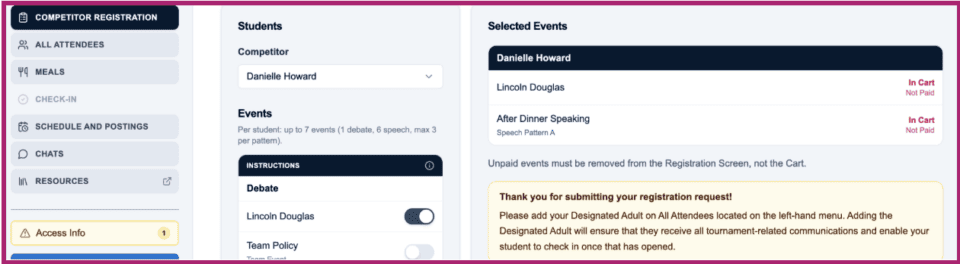
Select Competitor Registration from the left-side menu.
Select a student (must be set as an eligible competitor in Eligibility-Tab 4- of profile) found within the Family menu located on the left hand side of MyPlace.