Judge Quick-Start Instructions
Community judges are an important part of NCFCA tournaments. Each tournament requires separate registration and check in. Please read the steps below for a smooth start.

League Policies
Please review the steps below to ensure a smooth registration process for each tournament.
The Volunteer Judge Experience
Thank you for sharing your time with us!
We do not require any prior experience for eligible adults to judge speech or debate with NCFCA. Our competitors are training to talk to people from all walks of life, and they are blessed by feedback from new perspectives.
The 2-minute video linked below will explain the volunteer judge process and give you a preview of what to expect.
Account Set Up
- Go to MyPlace.
- Select Sign in/Create Account from the left-side menu.
- Enter email, password, and all required contact information.
- Click the Save button.
Find a Tournament
- Log in to MyPlace.
- Select Tournaments from the left-side menu.
- Click the Tournament Registrations dot in the top blue band.
- Click the Enter button for the desired tournament.
Affirmations
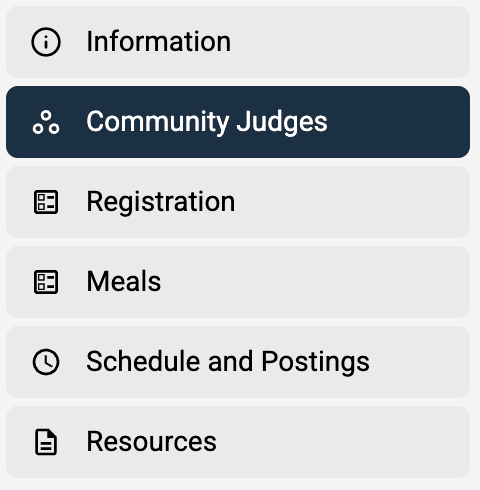
- Click the Community Judge button on the left-side menu.
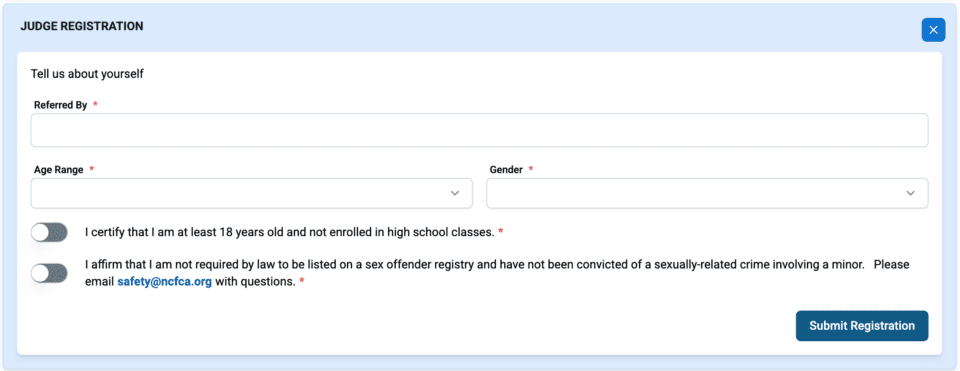
- Complete the Judge Registration details and affirmations.
- Click the Submit Registration button.

Selecting Rounds
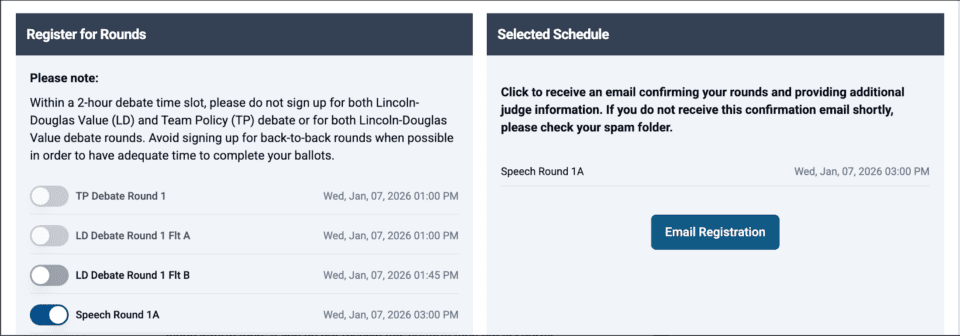
After completing the Judge Registration affirmations, the tournament schedule will populate below the registration section.
- Toggle each round you would like to judge in Register for Rounds column on the left.
- Within a 2-hour debate time slot, please do not sign up for both Lincoln-Douglas Value (LD) and Team Policy (TP) debate or for both Lincoln-Douglas Value debate rounds.
- Avoid signing up for back-to-back rounds when possible in order to have adequate time to complete your ballots.
- If you would like to remove an event, simply toggle again.
- The Selected Schedule column on the right will show all the rounds for which you are registered.
- Click the Email Registration button if you would like to receive an email confirming your rounds and providing additional judge information.
Changing or Canceling Rounds
- Log in to MyPlace.
- Select Tournaments from the left-side menu.
- Click the My Upcoming Tournaments dot in the top blue band.
- Click the Enter button for the desired tournament.
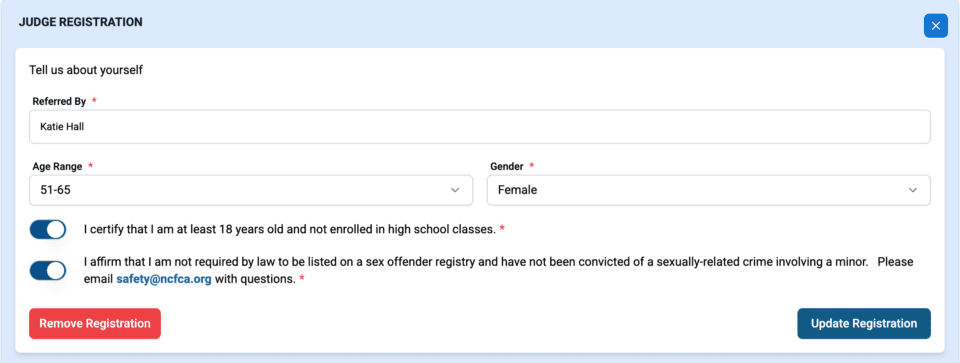
- Click the Community Judges button to return to the original registration.
- Using the toggles, select or cancel rounds to create an updated schedule.
- If necessary, click the red Remove Registration button in the top section to cancel the registration entirely.
Device & Technology Requirements
Our tournaments use electronic ballots, so judges must either have an approved device or make arrangements for one of our loaner devices.
Judge Policies
All volunteer judges are welcome to review our NCFCA Judge Policies which cover the following elements:
- Judge philosophy and eligibility
- Judge Training
- Judge Decisions
- Safety Requirements
- Avoiding Judging Conflicts
- Ballot Completion and Deadlines